
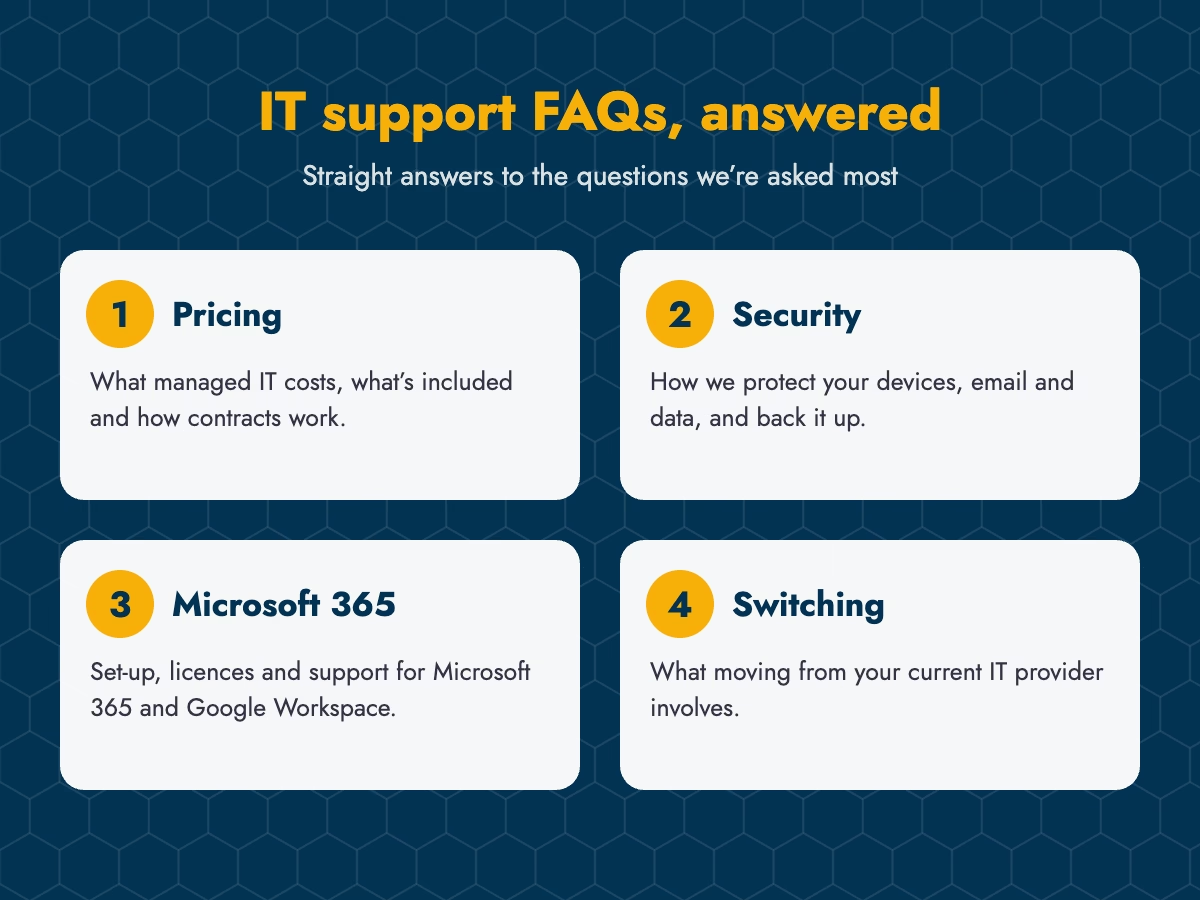
IT support FAQs: we’ve answered the questions we’re asked most often about IT support, pricing, cybersecurity, Microsoft 365, Google Workspace and moving to a new IT provider. Can’t find what you’re looking for? Just get in touch and we’ll give you a straight answer.
questions
About BITSmart
Who we are and who we work with.
BITSmart helps small and medium-sized businesses look after their technology.
That includes day-to-day IT support, cybersecurity, Microsoft 365, Google Workspace, cloud services, communications, hardware, software and advice on making better use of technology.
Most importantly, we take responsibility for keeping things running so you and your team can concentrate on running the business.
We mainly work with small and medium-sized businesses.
We’re a particularly good fit for organisations that rely heavily on technology but don’t want or need a full internal IT department.
For some clients we become their outsourced IT team. For others, we work alongside people or technical resources they already have in-house.
We can support businesses in most industries, although we work particularly well with professional services, consultancy and other organisations where technology is central to the day-to-day running of the business.
We’re less interested in putting businesses into boxes and more interested in whether we’re a good fit for each other.
We’re based in Winchester and support businesses across Hampshire, including Portsmouth, Southampton, Winchester, Basingstoke, Romsey and Eastleigh, as well as businesses further afield.
Much of modern IT support can be delivered remotely, so we don’t need to be in your office every time someone needs help. Where something needs hands-on attention, we can arrange on-site support.
Honestly, we’re not big fans of claiming to be the “number one IT company” or inventing a USP for the sake of it.
We’re building BITSmart around what we believe good IT support should look like: personal, proactive, straightforward and commercially sensible. We want to understand your business, recommend technology because it’s right for you and build long-term relationships.
We’re not looking to become a faceless IT provider where you’re just another ticket number.
Yes.
One of the benefits of working with BITSmart is a closer relationship with the people responsible for your technology. We want to understand how your business works, the systems you rely on and what matters to you. That context makes problems easier to fix and helps us give better advice when you’re making technology decisions.
questions
Managed IT support FAQs
What you get, day to day.
It means we take ongoing responsibility for supporting, monitoring, maintaining and helping to protect your business technology.
Instead of calling an IT company only when something breaks, you have an IT partner looking after everything continuously. Fixing problems is only part of what we do: we’re also working in the background to prevent them.
Our core managed service brings together IT support, device management and cybersecurity. It includes:
- Unlimited remote IT support
- Device monitoring and patch management
- Dark web scanning
- Microsoft 365 monitoring and security
- Microsoft 365 backup
- Managed endpoint detection and response (EDR) with security operations centre (SOC) monitoring
- Password management
- Browser and application threat protection
- Security awareness training
The exact service is set out clearly in your proposal and agreement.
Yes. Unlimited remote support means your team can contact us about normal day-to-day IT problems without worrying about another hourly bill.
There are sensible boundaries. Larger projects, significant changes, installations and work outside the agreed scope may be chargeable. If something is going to cost extra, we’ll tell you first.
We aim to respond to calls and emails within 2 hours on business days.
Security monitoring runs 24/7/365. Out of hours, Managed IT clients get help on a best-endeavours basis, at no extra cost.
Yes. Few businesses work entirely from one office, so our managed service is designed to support people wherever they normally work.
As long as we can securely connect to and manage their devices, your team can get help in the office, at home or anywhere else.
Yes. We can support businesses with several locations and manage their technology as one environment.
We’ll consider your connections, networking, people, devices and any location-specific needs when we put our recommendations together.
Yes, where it’s needed.
A surprising amount of IT support can now be done remotely, which is usually quicker. Where a problem or project genuinely needs someone on site, we’ll arrange that too.
Yes. We can source computers, networking equipment and other business technology, and make sure it suits what you need rather than selling whatever happens to be available.
Yes, in certain circumstances. We offer ad-hoc and project-based IT work, but for businesses that depend on their technology, our preferred way of working is Fully Managed IT Support.
Ad-hoc support is reactive by nature. Fully managed support lets us understand, monitor and maintain your systems, rather than meeting them for the first time when something has already gone wrong.
Existing clients can email helpus@bitsmart.tech or call 01962 676281.
questions
Pricing and contracts
What it costs, and what’s included.
Our Fully Managed IT Support starts from £60 + VAT per user, per month. For most businesses, that gives a good indication of what the service will cost.
Before we send a final proposal, we’ll look at the people, devices and technology we’re being asked to manage. You’ll then get a clear monthly price before you commit.
For a typical business, it should give you a good indication. Not every setup is typical, though.
A business where each person has one laptop is different from one with several computers per person, lots of shared devices, several sites, servers or other infrastructure to manage. We’ll take that into account in your proposal.
Our advertised price is based on a typical setup. Yours may differ if we’re responsible for significantly more devices, infrastructure or complexity than usual.
We’ll identify that before you become a client and explain anything that affects the price. No surprises after you’ve signed up.
We quote Fully Managed IT Support as a per-user monthly price. Behind that figure, we also take into account the devices and systems we’re responsible for. That keeps your pricing simple while making sure it reflects what we’re actually managing.
Usually, yes. Because the service is priced per user, your monthly cost will normally go up or down as the number of people we support changes. Your IT costs scale with your business, without needing a new agreement every time you grow.
No. Microsoft 365 and Google Workspace subscriptions are billed separately from Fully Managed IT Support.
We can supply and manage your licences for you. Keeping them separate makes it clear what you’re paying Microsoft or Google for the subscription, and what you’re paying us for the managed service.
A significant amount of cybersecurity is built into Fully Managed IT Support. We believe protecting the technology we look after is part of looking after it properly, not something to discuss only after an incident.
If you have specialist security or compliance needs beyond our standard service, we’ll discuss those separately.
Your proposal and agreement will set out clearly what’s included. Things that usually sit outside the monthly fee include:
- Microsoft 365 or Google Workspace subscriptions
- New computers and hardware
- Third-party software and subscriptions not included in the service
- Larger IT projects
- Major infrastructure changes
- Cabling and physical installation work
- Specialist consultancy or compliance projects
- Certain out-of-hours work
If something is chargeable, we’ll make that clear before carrying out the work.
Usually, yes. There’s a one-off onboarding fee, and how much it is depends on the setup we’re taking over. Sometimes there’s work needed to document, configure, secure or standardise your existing IT before we’re comfortable taking responsibility for it.
We’ll work out what’s needed before you join, and the fee is agreed with you in your proposal before you commit.
Because you’re buying far more than someone to call when a computer stops working. A properly managed service includes the people, systems and security tools needed to support, monitor, maintain and protect your business all month.
When comparing IT providers, look at what’s actually included rather than just the headline per-user price.
We think you should be able to get a sensible idea of what professional IT support will cost before sitting through a sales meeting.
The final price can differ in some cases, but we’ll identify that before sending your proposal. No mystery pricing, and no artificially low headline price that bears little resemblance to the final quote.
Our standard Fully Managed IT Support agreement is 12 months. That gives us time to understand your business, improve your setup and properly embed the proactive approach managed IT is built around.
Most of our clients choose to stay with us much longer. We’d rather keep clients because they value what we do than because they feel trapped by a contract.
Of course. We’ll start with a conversation about your business, your people and the technology you use. Where needed, we’ll take a closer look at your current setup.
You’ll then get a clear proposal setting out the monthly cost, what’s included and any one-off charges before you decide.
questions
Cybersecurity and backup
How we keep your business safe.
Yes. It isn’t an optional extra in Fully Managed IT Support; it’s built into how we manage your systems.
That includes endpoint protection, monitoring, Microsoft 365 security, backup, dark web scanning, password management and security awareness training. More on cybersecurity.
We use managed endpoint detection and response (EDR), backed by a security operations centre that watches for threats 24/7/365.
In plain English, this goes much further than traditional antivirus. It spots suspicious behaviour on a device and means someone can investigate and respond when something doesn’t look right.
Yes. Microsoft 365 security monitoring is part of our managed service, and we make sure it’s set up properly rather than left on the default settings. More on Microsoft 365 security.
Yes. Microsoft 365 and Google Workspace backup is part of Fully Managed IT Support. Independent backup gives you extra recovery options when things go wrong. Device and server backup and disaster recovery are available as add-ons. More on backup.
It spots when information linked to your business, such as staff email addresses or passwords, appears in known data breaches.
It doesn’t remove anything from the internet, but it gives us the warning we need to take action, such as changing a password.
No single product can guarantee you’ll never receive a phishing email. Instead, we combine technical protection with monitoring and staff training.
That last part matters, because attackers increasingly target people rather than computers.
Yes. It’s part of Fully Managed IT Support, because your people are an important part of your security.
The aim isn’t to turn everyone into a cybersecurity expert. It’s to help your team recognise common threats and know what to do when something doesn’t look right.
We investigate, take steps to contain the problem and work out what happened. Our security tools give us far more visibility and ability to respond than traditional antivirus.
Exactly what happens depends on the type and severity of the incident.
Yes. Our Managed IT setup covers many of the technical controls Cyber Essentials asks for, such as secure settings and keeping software up to date. If you want formal certification, we’ll talk you through what’s involved.
No one can, and anyone who promises that isn’t being straight with you. What we can do is make your business a much harder target, and help you recover quickly if something does get through.
questions
Microsoft 365 and Google Workspace
Your email, files and collaboration tools.
Yes. Microsoft 365 is a core part of what we do. We help with licensing, setup, security, migrations, email, Teams, SharePoint, OneDrive and its ongoing management.
Yes. You don’t need to start again just because you’re moving to BITSmart. We’ll review how your Microsoft 365 is set up and identify anything that needs addressing as we take over its management.
Yes. We can supply and manage your Microsoft 365 licences. They’re billed separately from Fully Managed IT Support so the two costs stay clear.
Absolutely. Microsoft licensing gets complicated remarkably quickly. We’ll look at what each person actually needs and recommend the right licences, rather than giving everyone the same subscription.
Yes. We can move your email, data and services to Microsoft 365. The approach and cost depend on where you’re moving from, how much data there is and how complex your current setup is, so we normally scope it as a project.
Yes. If another provider currently supplies or manages your Microsoft 365, we’ll work with you to understand the setup and plan the move. Where needed, we’ll work with your current provider to make the handover as smooth as possible.
Yes. Although we’re mainly Microsoft-focused, we also support businesses that use Google Workspace. Some parts of our managed service work differently with Google Workspace, and we’ll explain any differences in your proposal.
Yes, in either direction. We’d normally treat it as a separate project, because the complexity depends on your people, email, data, applications and how you work.
Both are capable business platforms, and the right answer depends on how you work. For many of the businesses we support, Microsoft 365 offers a particularly strong mix of productivity, collaboration, device management and security.
That doesn’t automatically make it right for everyone. Our job is to understand how your business works and recommend the platform that makes the most sense.
questions
Switching to BITSmart
What moving to us actually involves.
Usually, no. It can feel daunting, especially if your current provider manages everything from Microsoft 365 to your computers and network, but changing IT provider is something that can be planned and managed.
We’ll work through what needs transferring and keep the process as straightforward as possible.
Simply changing who supports your IT shouldn’t normally cause significant downtime.
Onboarding may identify separate changes that need some planned disruption, but we’ll schedule those to keep the impact on your business to a minimum.
Yes, eventually, but you don’t need to work out the whole handover yourself. We’ll explain what information and access we need, and work with your current provider during the move where appropriate.
It depends on your setup, but typically the admin access and information for the systems we’ll be taking responsibility for. We’ll give you a structured handover process, so you don’t need to know what technical details to ask for.
Don’t panic. You certainly won’t be the first. We’ll gather as much information as we can during the handover and build our own documentation as part of onboarding.
If we find something that needs attention, we’ll explain what we’ve found and what we recommend.
Yes. Understanding what we’re agreeing to support matters to both of us. We’ll look at your people, devices, services and infrastructure and identify anything that may need addressing before or during onboarding.
Every setup is slightly different, but onboarding normally involves:
- Understanding and documenting your current setup
- Coordinating the handover from your current provider, where there is one
- Setting up the right admin access
- Installing our management and security tools
- Reviewing devices and key services
- Fixing any agreed security or configuration issues
- Making sure your team knows how to contact us
- Moving into ongoing, proactive management
We’ll guide you through it rather than sending you a technical checklist.
Yes. Professional IT providers should be able to hand over to one another professionally. Where appropriate, we’ll talk directly to your current provider to get the information and access we need.
You get on with running your business and we get on with looking after your IT. Your team contacts us when they need help, while our management and security tools work in the background.
Over time, we’ll get to know your business better, so we can help you plan improvements and make better technology decisions, not just fix individual problems.