
Are you paying the right amount for your IT? Our free IT cost check takes about two minutes and shows how your spend compares with a typical range for a business your size, and how well protected your setup is.
free cost check
Check your IT costs now
Rough numbers are fine. Answer three short steps in the IT cost check and your result appears on screen straight away.
Are you overpaying for your IT?
A 2-minute benchmark against typical UK managed-service rates. Tell us about your business, roughly what you pay, and what's actually included — we'll show you where you stand.
Step 1 of 3 · Your business
Everyone with a computer, laptop or company email account.
On-premise or cloud servers you own or manage (not counting Microsoft 365).
1
Physical sites that need networking and connectivity.
1
Step 2 of 3 · Current spend
Your best estimate of total IT support & management — the recurring cost of keeping everything running. Estimates are fine.
£
Include: outsourced IT support / helpdesk, monitoring, security tools, backup, and any monthly retainer to an IT provider.
Leave out: one-off hardware purchases, broadband/phone lines, and per-seat Microsoft 365 licences — we benchmark the management, not the line rental.
Leave out: one-off hardware purchases, broadband/phone lines, and per-seat Microsoft 365 licences — we benchmark the management, not the line rental.
Step 3 of 3 · What's included
Tap everything your current IT setup genuinely covers today. Unsure counts as a no.
Benchmarks are indicative, based on typical rates charged by UK managed service providers for businesses of comparable size and complexity. Your exact costs depend on your setup — treat this as a conversation-starter, not a quote.
You pay
Typical for your size
Difference
Where you sit vs the market range · monthly, for a business your size
lean
typical
fully managed
0Resilience
Get your full benchmark report
We'll send a written breakdown of your position, the gaps that matter most, and what a right-sized setup would look like — no obligation, no hard sell.
We only use your details to prepare your report and follow up. No spam, ever.
how it works
How the IT cost check works
1
Tell us about your business
How many people, servers and offices you have. Estimates are fine.
2
Add what you spend
Roughly what you pay each month or year to keep your IT running.
3
Check what’s covered
Twelve plain-English questions about the protection you have in place.
4
See your result
Whether you’re paying above, below or about right, plus your IT resilience score and the gaps to fix first.
what you’ll find out
What the IT cost check tells you
Most business owners have no easy way to tell whether they’re overpaying for IT, underinvesting, or carrying gaps that could cause problems later.
The IT cost check looks at both sides: what you spend, and what you get for it.
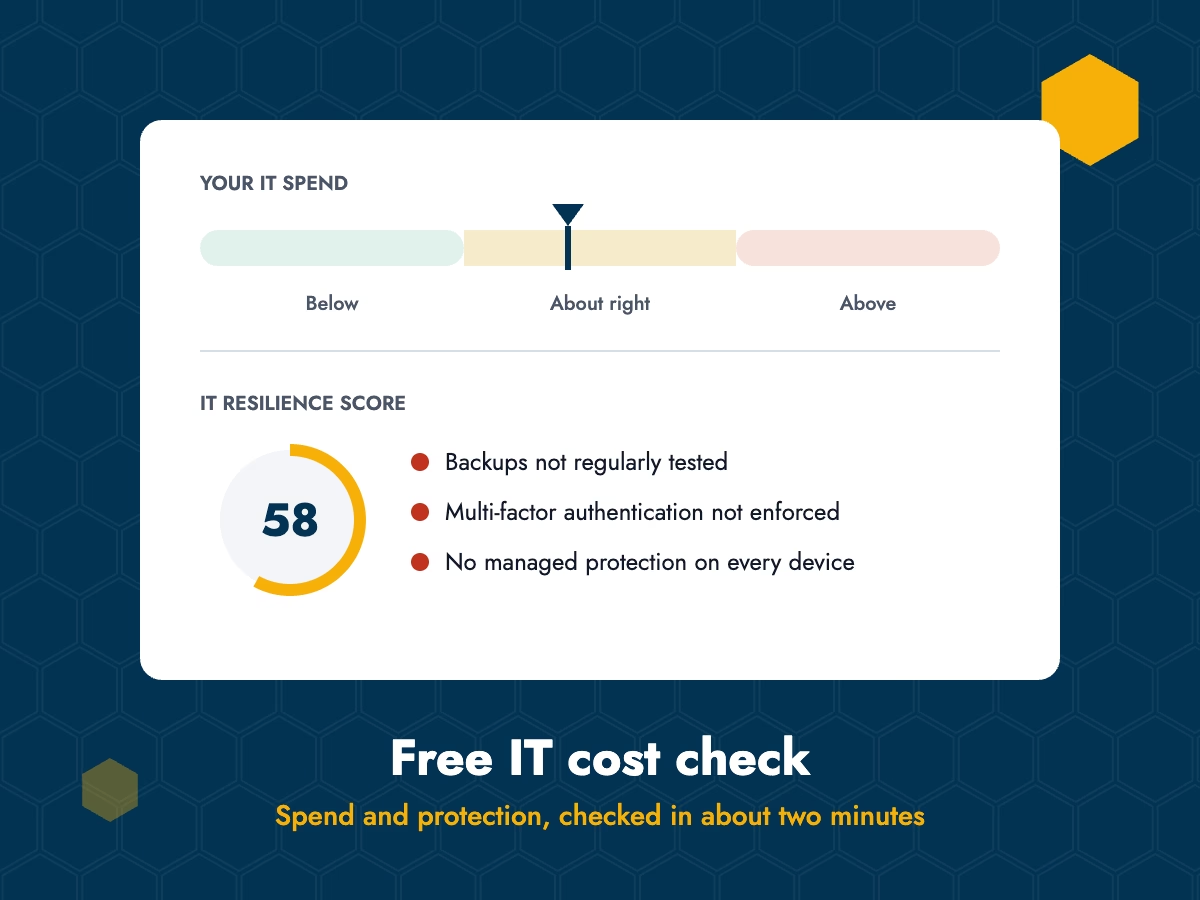
Above, below or about right
The IT cost check shows where your current IT spend sits against a typical range for a business of your size and setup.
Your IT resilience score
A simple score showing how well protected your business is, based on your answers.
The gaps that matter
The specific protections that are missing, such as tested backups or multi-factor authentication.
What to tackle first
A clear idea of where to start, so you can fix the biggest risks first.
Estimates are fine
You don’t need invoices to hand. Rough figures give you a useful result.
A guide, not a quote
The IT cost check is a starting point for a conversation, not an audit or a formal price.
questions
IT cost check FAQs
Straight answers about the IT cost check.
Yes. There’s no charge and no obligation, and your result appears on screen straight away.
No. Your best estimates are fine. The result is a guide, not an audit.
It’s an indication based on a typical price range for managed IT support for a business of your size and setup. Every business is different, so treat it as a starting point, not a quote.
We only use them to send your results and, if you’d like, to follow up. We never sell your data. See our privacy policy.
We may follow up to check the results were useful, but there’s no pressure and you’re free to say no thanks.
Small businesses that want to check they’re paying a fair price for IT and are properly protected. For free general security advice, the National Cyber Security Centre’s small business guide is a good place to start.
Yes. The IT cost check is a quick way to sense-check what you’re getting from your current provider. If something looks off, it gives you a useful starting point for a conversation with them.
It’s based on your answers to the twelve coverage questions, such as whether backups are tested, devices are protected and multi-factor authentication is switched on. The more of these you have in place, the higher your score.