
Not sure about an email? Paste it into our free phishing email checker and get a risk score in seconds, plus the warning signs it found: spoofed senders, disguised links, risky attachments and pressure tactics.
free checker
Check an email now
Copy the suspicious email and paste it into the phishing email checker below. For the most accurate result, paste the full message source with headers. The checker shows you how to find it in Gmail, Outlook, Apple Mail and others. The message on its own works too, but the sender authentication checks are skipped.
what it checks
What the phishing email checker looks for
Phishing is the most common type of cyber attack UK businesses report.
In the government’s Cyber Security Breaches Survey 2025/26, 38% of businesses had experienced a phishing attack in the previous 12 months.
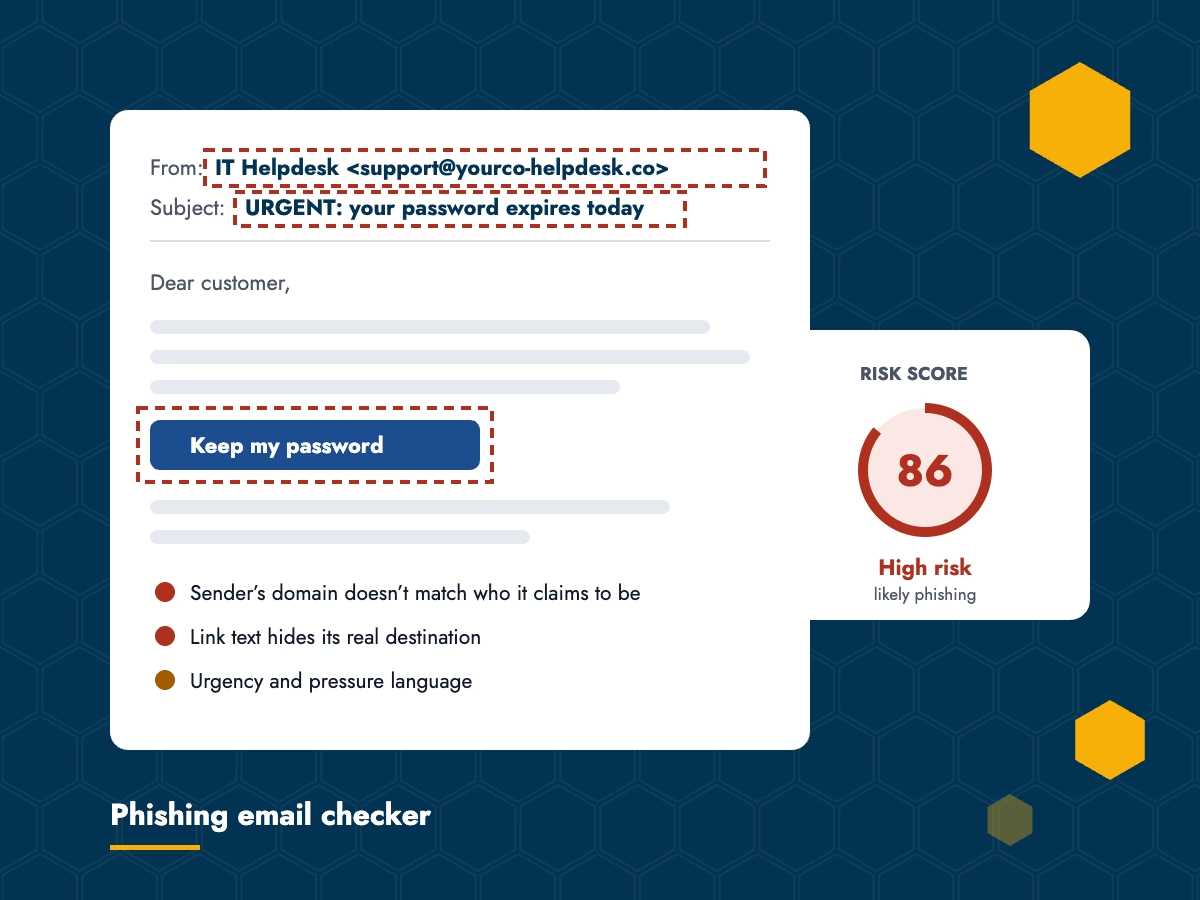
Most phishing emails give themselves away somewhere: in who really sent them, where their links go, what’s attached or how they’re worded. The phishing email checker looks at all four, then gives the email a risk score.
Who really sent it
A display name hiding a different address, a brand name that doesn’t match the sending domain, lookalike domains and replies that go somewhere else.
What’s attached
Files with a disguised double extension, such as invoice.pdf.exe, risky file types, and zipped or disk-image files.
Whether it passed authentication
With the full source pasted, it reads the SPF, DKIM and DMARC results from the headers and checks the sender details line up.
Where the links go
Link text that hides its real destination, shortened links, links to raw IP addresses and links to login or verification pages.
How it’s written
Urgency and pressure, requests for payment or personal details, and generic greetings like “Dear customer”.
Your email stays private
The email you paste is checked in your browser and never sent to us.
how to use it
Using the phishing email checker
1
Copy the email
Open the suspicious email and copy it. For the best result, copy the full message source, which includes the headers.
2
Paste it in
Paste it into the phishing email checker above and click Analyse email. The check runs in your browser, so nothing is uploaded.
3
Check the result
You’ll see a risk score straight away. Enter your name and work email if you’d like the full breakdown emailed to you.
4
If in doubt, don’t click
Whatever the score, never pay or share a password because an email asked. Check with the sender on a number you already have.
Think someone has already clicked?
If someone has clicked a link, opened an attachment or entered a password, book a call and we’ll talk you through what to do next.
questions
Phishing checker FAQs
Straight answers about the checker and what to do with your result.
Yes. The phishing email checker is free, and you get the risk score straight away. If you’d like the full breakdown of what it found, enter your name and work email and we’ll email you a copy.
No. The checking happens in your browser and the email itself is never sent to us. If you ask for the full breakdown, we receive your name, email address and the list of findings, but not the email.
The full source is better. It includes the headers, which show whether the email passed SPF, DKIM and DMARC and where it really came from. The message on its own still gets checked for links, attachments and wording.
No. The phishing email checker is a quick gut-check, not a guarantee, and a well-made phishing email can get through. If an email asks for money or a password, check with the sender using a phone number you already have.
Don’t click any links, open attachments or reply. In the UK you can report it by forwarding it to the National Cyber Security Centre at report@phishing.gov.uk, then delete it. If it came to a work account, tell whoever looks after your IT.
We can check your email security settings and help your team get better at spotting phishing. Book a call and we’ll talk you through it.